Key takeaways
-
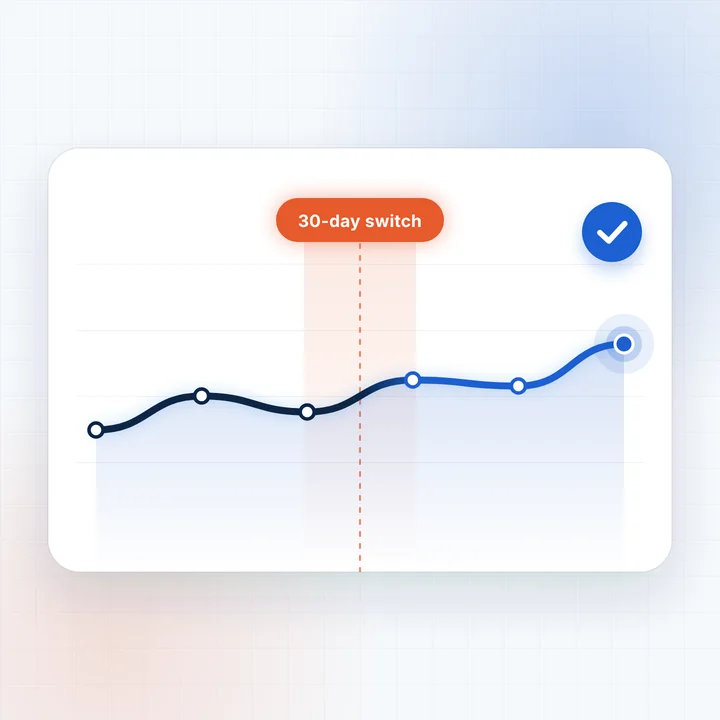
The notice period starts before the clock: serve notice first. The 30 days start when you sign with the new company.
-
The date of service decides ownership: each visit has one billing company, whatever day its claim is sent.
-
Medicare hears about the change twice: the billing agency goes on the CMS-855 within 90 days, and EDI changes need written notice in advance.
-
Medicare contractors send remittances to one receiver per NPI: the day your ERAs move is a cutover decision, not a form to file later.
-
Deposits stay in your account: Medicare pays an agent only in the provider's name, and only if its fee is not tied to collections.
You have decided to leave your billing company, and you need a medical billing transition plan that keeps cash moving. The paperwork is not the risk. The risk is a few weeks where claims go out twice, or not at all, and deposits stop without anyone noticing.
A good plan prevents that by putting every task on one clock. Most guides split the work into overlapping phases with no single start date. This plan starts on the day you sign with the new company and ends at a day 30 review.
It answers one question: what has to happen on each day of the 30, and who does it?
Before day 0: the notice period and your cutover date
Your outgoing contract's notice period, set in its termination clause, starts before the 30-day clock and sets your cutover date. Serve notice first, then count back from the date it ends to pick the day the new company takes over new visits. The old contract may still be running when the new company starts, and that overlap is expected.
Read three clauses before you serve notice. The termination clause sets the notice period and any exit fee. The runout clause says who works claims already sent, and for how long. The data clause says when your files come back and in what format. If any of these is missing or vague, see these medical billing contract red flags before you sign anything new.
Name one person to own the switch.
Pick one person in the practice to hold the calendar, answer both companies and approve access requests. Two owners means two versions of the cutover date.
Record three baseline numbers.
Pull your net collection rate, days in A/R and denial rate for the last 3 months. Ask the outgoing company for the same report in writing. These are the numbers you compare at day 30, 60 and 90, so take them before anything changes. A free billing audit puts the denial rate and days in A/R in writing.
One clock
The switch, on a single 30-day timeline
Serve notice first. The 30 days start when you sign with the new company.
- Day 0Sign the agreement and BAA, set one cutover date
- Days 1 to 5Logins granted, payers loaded, handover files exported
- CutoverEach date of service gets one owner
- Week 1First claims go out, the old company works its runout
- Weeks 2 to 4Remittances posted, deposits matched weekly
- Day 30Written review against the baseline
Deposits stay in your accountMedicare: one ERA receiver per NPI
The 30-day medical billing transition plan at a glance
The plan has six checkpoints: day 0, day 5, the cutover date, week 1, weeks 2 to 4 and day 30. Each one has a single proof that it is done, so nobody has to guess whether the switch is on track.
| Day | Who does what | Proof it is done |
|---|---|---|
| Day 0 | The practice signs the agreement and BAA and sets the cutover date. The outgoing company confirms its runout end date | Signed BAA and one cutover date both companies hold |
| Days 1 to 5 | The practice grants logins. The new company loads payers, reviews open A/R and files remittance and EDI changes. The outgoing company exports the handover files | Working logins and a complete handover list |
| Cutover date | The new company owns visits from this date. The outgoing company owns visits before it | Each date of service has one owner |
| Week 1 | The new company sends the first claims. The outgoing company works its runout | Every claim batch accepted |
| Weeks 2 to 4 | The new company posts remittances and works first denials. The practice matches deposits each week | Every deposit matches its remittance |
| Day 30 | The practice and the new company review results against the baseline | A written review |
Days 0 to 5: agreement, access and the handover list
By day 5 the new billing company needs user access to your practice management system, your clearinghouse and your payer portals. Everything after that depends on it, so access is the first deadline, not a detail.
The BAA comes first. Under HIPAA at 45 CFR 164.502(e) and 164.504(e), a billing company handling your patient records is a business associate. The agreement must be signed before it sees a single record.
What the practice hands over
You own these files, so request them from your own systems where you can, and from the outgoing company where you cannot:
-
Open claims: every claim sent and not yet paid or denied, with its date of service and payer.
-
Unbilled encounters: visits seen but not yet coded or sent.
-
Patient balances: what each patient owes, and any payment plans.
-
Active authorizations: prior authorizations with their expiration dates.
-
Payer list and fee schedules: every payer you bill, with your contracted rates.
What the new billing company sets up
In the same 5 days, the new company loads your payers, reviews open A/R and files the remittance and EDI changes. One item belongs in writing: a list of every login it holds, so you can remove access later without guessing.
For the day-by-day detail from the incoming side, see the full onboarding process.
The date-of-service split and the parallel run
A date-of-service split gives every claim one owner: visits before the cutover date stay with the outgoing company. Visits from it go to the new one.
Who bills which visits
The date of service decides ownership, not the date a claim is sent. A visit on the day before cutover belongs to the outgoing company, even if it is coded a week later.
Some guides suggest sending new claims through both companies during a trial period. That is how duplicate claims start: two submitters, one visit, two claims. The payer denies the second, and someone has to untangle which one was paid. One submitter per date of service removes the problem.
Who works the old A/R
The outgoing company works the claims it sent until an agreed runout end date, set in writing. After that date, anything still open moves to the new company or comes back to the practice.
Set the end date with filing limits in mind. Medicare allows 1 calendar year from the date of service to file a claim, under 42 CFR 424.44. Commercial limits are often shorter and set by contract: Cigna, for example, gives participating providers 90 days from the date of service. The outgoing side of this, from final invoices to file release, is covered in our separate guide on leaving a medical billing company.
How the parallel month runs
In weeks 1 to 4 both companies work at once, but never on the same claim. The new company sends new claims within 48 hours of each visit. The outgoing company finishes its runout. Ask it for a weekly runout report, so you can see its open balance fall while the new queue starts.
Verify financial posting: remittances, deposits and Medicare records
Verify financial posting in week 2, when the first remittances and deposits arrive. Each payer's first remittance should post to the right claim, and its deposit should land in the practice's own account. Most plans list this step last. It is where a switch loses money without anyone noticing.
Where the remittance goes
Medicare contractors send electronic remittance advice (ERA) to one receiver per NPI. On the day your ERAs move to the new company, the outgoing company stops seeing payments on its runout claims. Agree before that day how it will see them: shared copies of the remits, or its own payer portal access.
Some commercial payers also allow one ERA receiver at a time, and a change can take weeks. One payer's form makes a receiver change effective 20 days after it arrives. File commercial ERA changes in the first 5 days, so they take effect inside the parallel month.
Where the money goes
Deposits should not move at all. Medicare pays a billing agent only in the provider's name. It does so only when the agent's pay is not tied to amounts billed or collected, under 42 CFR 424.73(b)(3) and 424.80(b)(5). A company paid a percentage of collections cannot receive your Medicare payments. Electronic funds transfer (EFT) stays pointed at the practice's own bank account.
If the outgoing company ever controlled where payments landed, change that first. Then check the first deposit after the change.
Northgate Billing moves a practice's claim submission and electronic remittances over during the parallel month. Every payer deposit stays in the practice's own bank account.
What Medicare needs to know
Two Medicare records change when you change billing companies:
-
Billing agency: reported in Section 8 of the CMS-855 enrollment form. Physicians and groups report changes like this within 90 days, under 42 CFR 424.516(d).
-
EDI: providers must notify their Medicare contractor in writing and in advance of a change in billing agent or clearinghouse.
The weekly deposit check
Once a week from week 2, match three things for each payer:
-
Deposit to remittance: the bank deposit equals the ERA total.
-
Remittance to claim: each paid line posts to the right claim and patient.
-
Allowed amount to fee schedule: a few lines checked against your contracted rates.
Also confirm that every claim batch gets its two acknowledgments, the 999 and the 277CA. A batch with no 277CA has not been confirmed as accepted into the payer's claim system.
The first 30, 60 and 90 days
At day 30, compare denial rate and days in A/R against the baseline you recorded before day 0. Each checkpoint after that asks a narrower question.
Day 30: is everything flowing?
Read days in A/R with care: the runout claims are aging while the new claims are only weeks old. Look at the two queues separately, not as one number.
Day 60: is the new work as clean as the old?
Compare the denial rate on claims the new company sent with your baseline. Check that the outgoing company's open balance is falling each week.
Day 90: is the switch finished?
Compare net collection rate with your baseline. The runout should be closed or handed over, as the contract says. Remove the outgoing company's access to your practice management system, clearinghouse and payer portals.
When the new billing company should run the switch
The new billing company should coordinate the switch when several payers or a large open A/R are involved. A practice with one or two payers and little open A/R can run it in-house with the calendar above. It is also fair to ask whether switching is the fix. If denials trace back to missing documentation or late charge entry, a new company inherits the same problem.
Hand coordination to the incoming company when any of these is true:
-
You bill several commercial payers, so remittance changes run on different timelines.
-
Open A/R is large or old, and the runout needs a firm end date.
-
Nobody in the practice can own the calendar for 30 days.
-
The outgoing company is slow to release files or remittances.
Either way, keep your own logins to every payer portal and the clearinghouse. Ask any company you consider for read access to every claim it sends. Confirm in writing that the move itself carries no fee.
Northgate Billing signs a business associate agreement under 45 CFR 164.504(e) on day 0, before any user access to the practice's system.
Scope, schedule and reporting are set out on the medical billing services page. Published rates run from 7% of collections down to 3%, with a $450 minimum per provider per month.
Conclusion: your switch on one clock
A switch on one clock leaves nothing to luck: every task has a day, an owner and a proof. The day 30 review then tells you whether the move worked, measured against your own baseline. That leaves one question to answer before you serve notice: where does your billing stand today?
Frequently asked questions
The transition itself takes about 30 days, from signing with the new company to the first review. Some guides quote a longer period because they also count the outgoing contract's notice period, which starts before day 0. Serve notice first, then start the 30-day clock so the new company is ready before the old contract ends.
No. Payer enrollment belongs to the provider, not the billing company, so it carries over. What changes is the billing agent record with Medicare, the EDI setup for claims, and who receives electronic remittances. Those changes belong in the first 5 days of a transition plan, so they take effect during the parallel month.
Whoever owns the runout appeals those denials, so the runout clause should name that company in writing. Deadlines keep running during the switch: a Medicare redetermination must be filed within 120 days of receiving the initial determination. List every open denial with its deadline on day 0, so none expires between the two companies.
A switch has three costs: runout fees, any exit fee and staff time. The outgoing company may still be paid on runout claims it collects after cutover. Its termination clause may set an exit fee. Staff also spend time on access and handover files. Weigh those costs against the revenue a clean date-of-service split protects during the parallel month.
Patients need to know only what changes for them. If the phone number, payment address or online portal on their statements changes, tell them before the first new statement goes out. A short note with the next statement, or a line on the practice website, is enough. Put the date of that notice on the transition calendar.
Under HIPAA, the business associate agreement must require the billing company to return or destroy patient information when the contract ends, if feasible. In practice, ask for a full export in a format you can open before its access ends. Set that date in writing on day 0.
No rule sets a time, but timing changes the workload. Medicare Part B deductibles reset each January, so early-year patient balances and denials are harder to compare with a baseline. A cutover at the start of a month you can staff gives cleaner numbers. Pick that date first, then build the 30-day plan back from it.